Help › Tissue culture
Complete a subculture
A subculture moves the same line on a round: tissue cut from this line's jars onto fresh media. The line keeps its ID; its round number goes up.
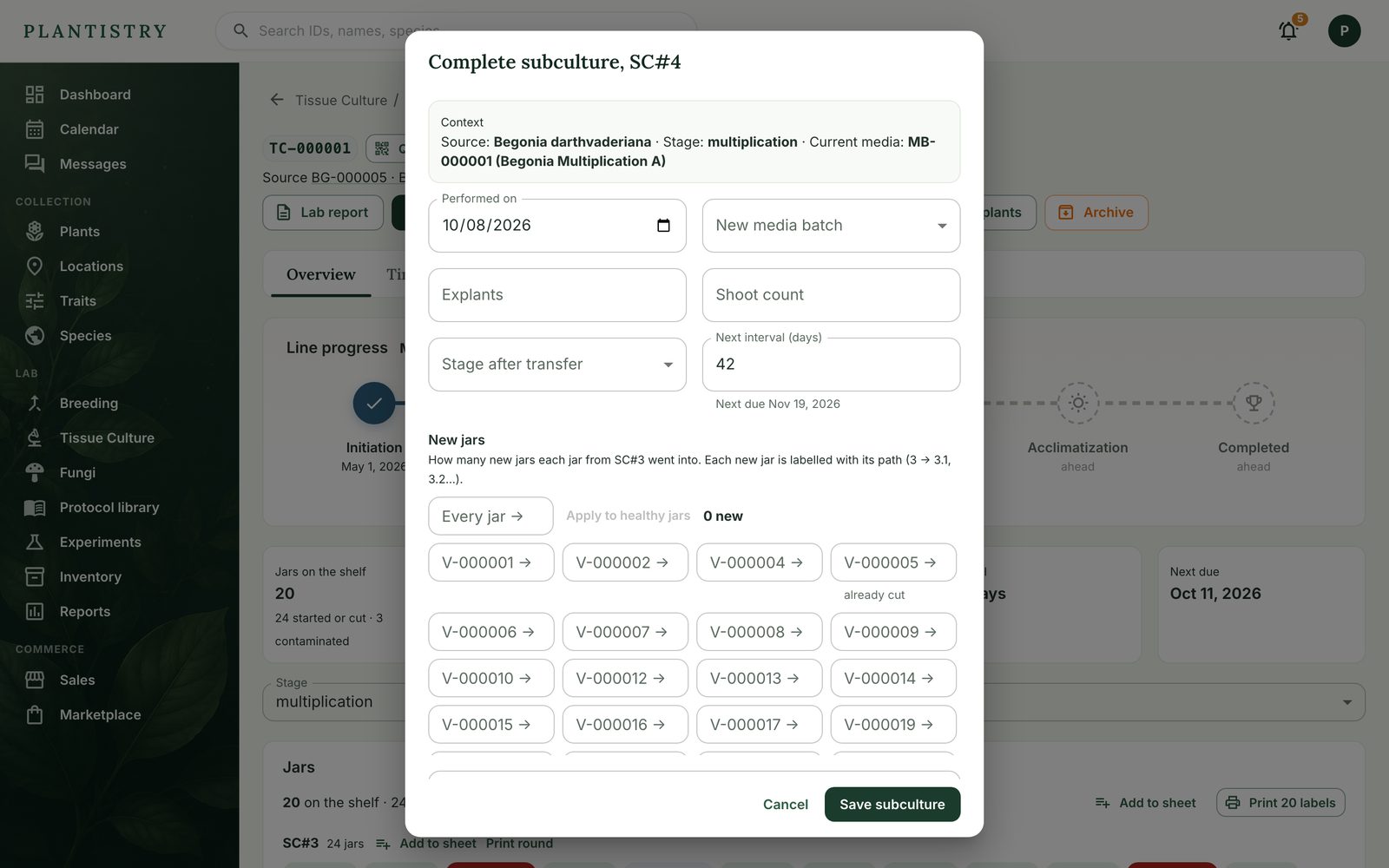
Pro plan- Open the line and choose Complete subculture.
- Check the date and pick the new media batch (batches the protocol suggests are starred), or keep the current one.
- Under New jars, say how many jars each source jar went into. Every jar → with Apply to healthy jars sets them all at once.
- Note explants, shoots, the stage after transfer, and anything you observed. Turn on contamination if you found any.
- Save subculture, then Print labels for the new jars, numbered by their path.
At the bench, on the phone
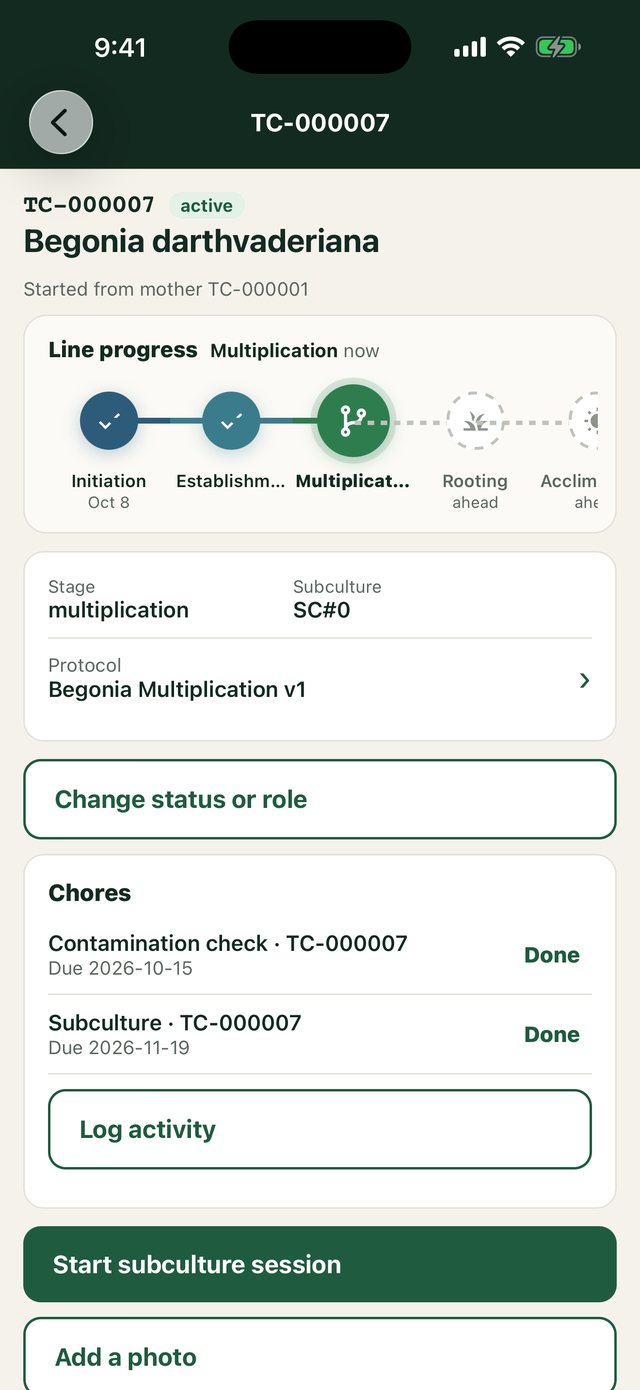
Start subculture session on a line (or Subculture from this jar on a scanned jar) lets you scan each jar as you cut it, enter how many it went into, then Finish and quick-print the new labels.
Tip: Subculture and its contamination-check chores are ticked off for you when the round is saved.
Still stuck? Tell us what you were trying to do.Contact support