Help › Getting started
Create your account and garden
Your account is you; your garden is the collection or lab you keep in Plantistry. You set both up in one step, free.
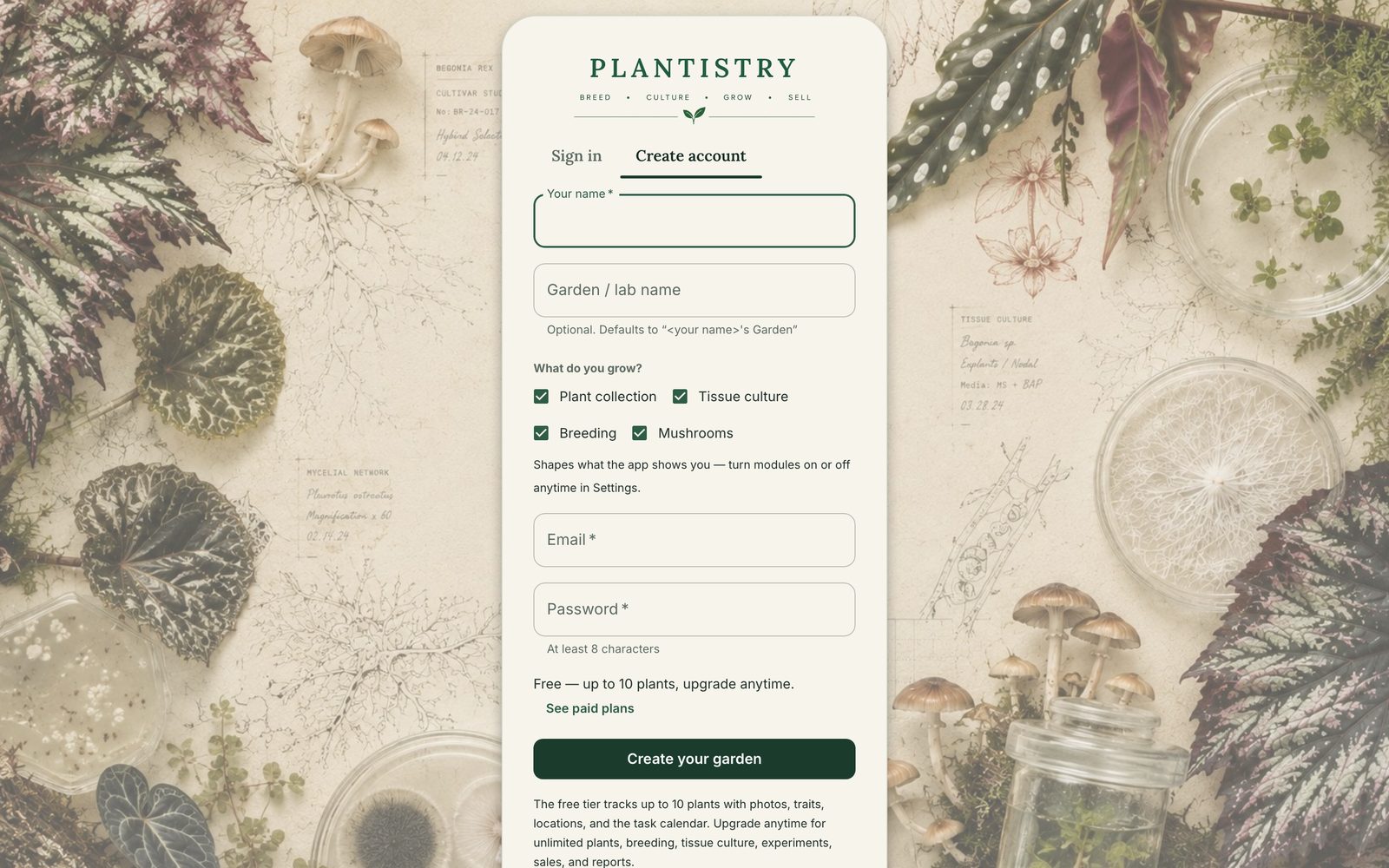
Free on every plan- Go to app.plantistrylabs.com and choose Create account.
- Enter your name, email and a password of at least eight characters.
- Give your garden or lab a name. You can leave it blank and rename it later.
- Under What do you grow? tick the parts you use: Plant collection, Tissue culture, Breeding, Mushrooms. They decide which sections appear in the menu, and you can change them any time.
- Choose Create your garden. You start on the Free plan; See paid plans lets you start on Pro or Lab instead.
Tip: On a phone, the Plantistry app has the same sign-up under Create a free account.
Forgot your password?
On the sign-in screen choose Forgot password? and then Email me a reset link. The link opens a page to set a new one.
Still stuck? Tell us what you were trying to do.Contact support