Help › Getting started
Your dashboard
The dashboard is the first page after you sign in: a count of what you keep, the work due today, what's new, and what's running in the lab.
Free on every plan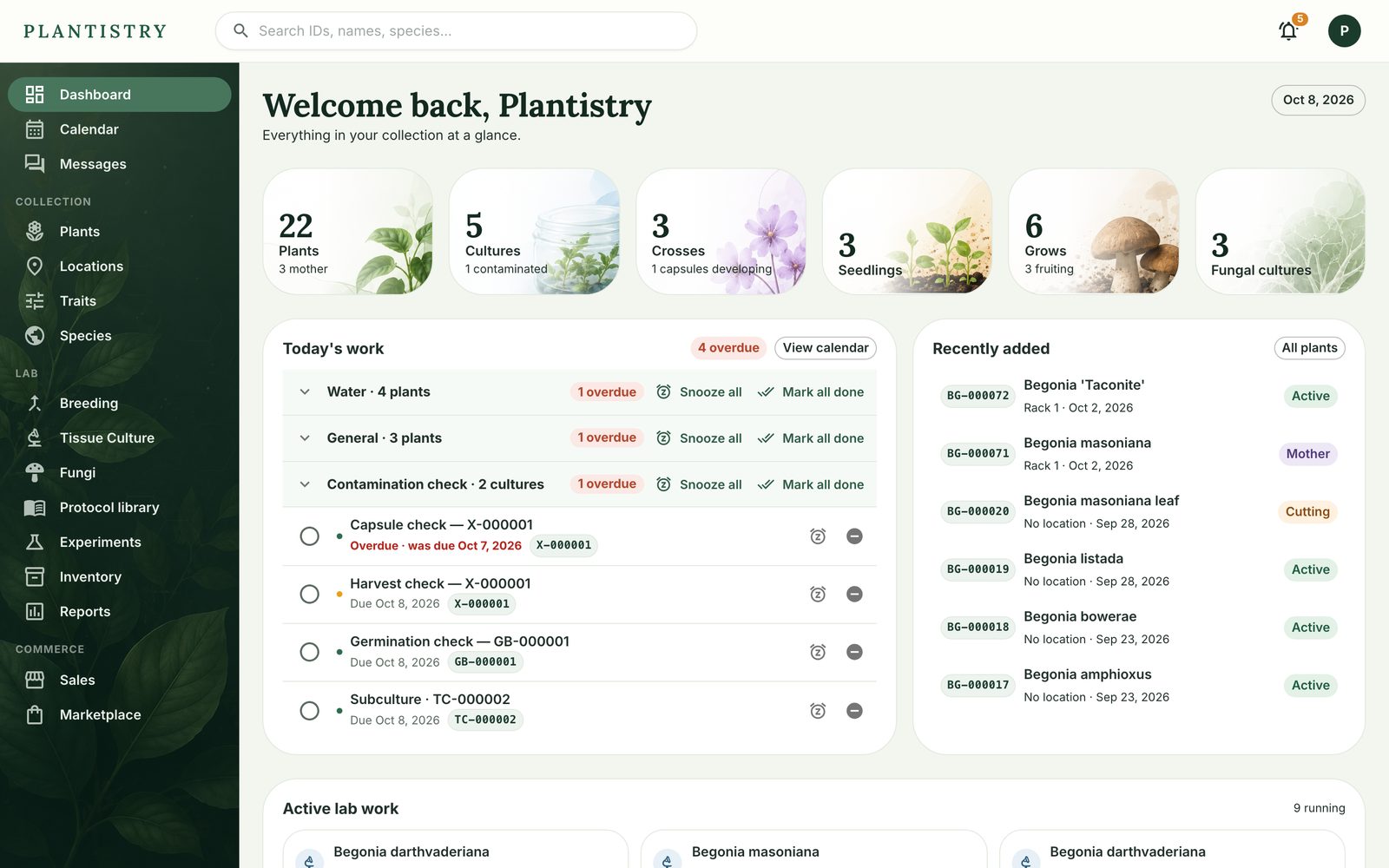
- The tiles across the top count your plants, cultures, crosses, seedlings, grows and fungal cultures. Click one to open it.
- Today's work groups the chores due today by kind, with Snooze all and Mark all done on each group. See Today's work.
- Recently added lists your newest plants with their status.
- Active lab work shows each culture line and grow that's running, with its next step.
New gardens also see a Getting started card: add your first plant, give it a home, print a label and scan it, set up watering. Dismiss hides it.
Tip: The account menu at the top right has Take the tour, a short walk round the app you can replay any time.
Still stuck? Tell us what you were trying to do.Contact support