Help › Chores & calendar
Chores that schedule themselves
A workflow is a rule: when something happens to a record, add these chores so many days later. Plantistry comes with sensible ones, and you can change them or make your own.
Pro plan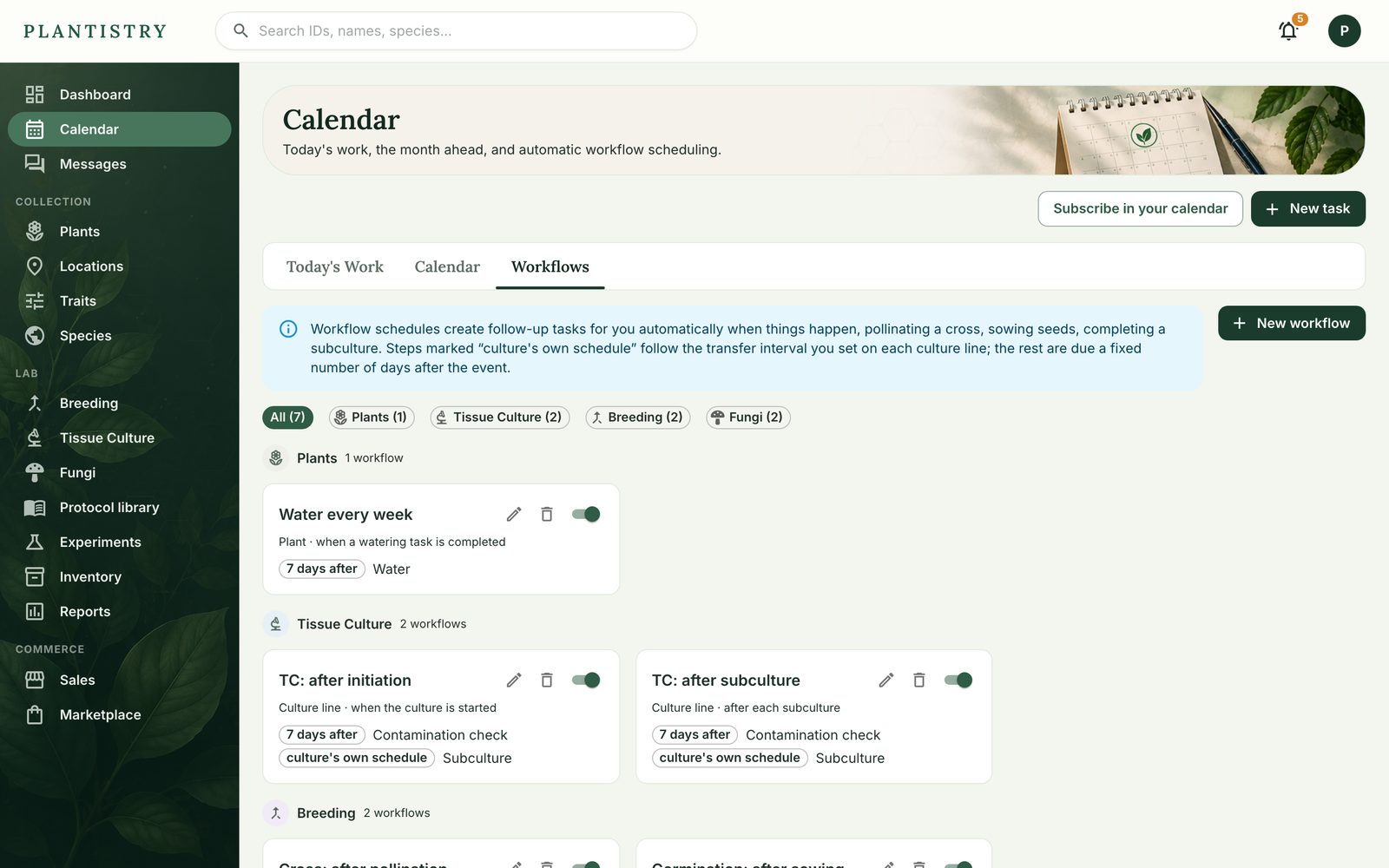
- Open Calendar → Workflows and choose New workflow.
- Pick what it applies to (plants, crosses, culture lines, grows…) and when it runs: when one is added, after each subculture, when a task of some type is completed, and more.
- Add its chores: a title, a type and how many days after. Culture lines can use their own subculture interval instead of a fixed number. Add another task adds more.
- Choose Create workflow. The switch on its card pauses it without deleting it.
Tip: “When a task of type Watering is completed, add Watering 7 days after” is a weekly watering that adapts to when you actually watered.
Still stuck? Tell us what you were trying to do.Contact support