Help › Plants & collection
Add plants
A plant is one living thing in your collection, with its own ID and label. Add it with as much or as little detail as you have; anything missing can be filled in later.
Free on every plan- Open Plants and choose Add plant.
- Give it a name. Pick its species from the library if you know it, and a cultivar name if it has one.
- Set its status (Active, Mother, Seedling…) and where it lives.
- Optionally add where and when you got it, what you paid, the original label, and a first photo.
- Choose Create plant. It gets its ID straight away, ready to label.
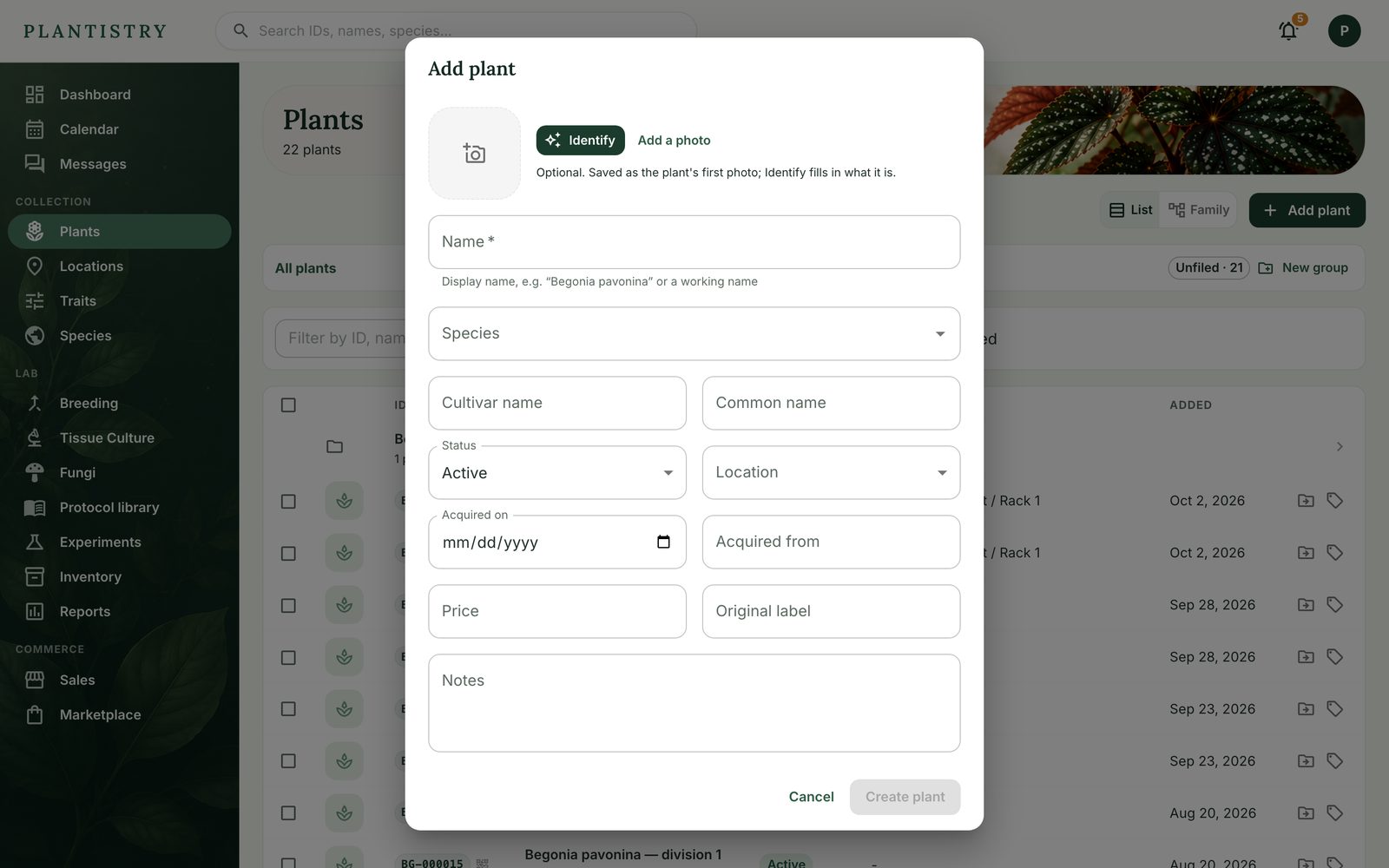
With Pro, Identify names the plant from its photo and fills in the genus and species for you to check.
Good to know: The Free plan keeps up to 10 plants. Pro and Lab have no limit.
Still stuck? Tell us what you were trying to do.Contact support