Help › Plants & collection
Photo walk: add a room of plants
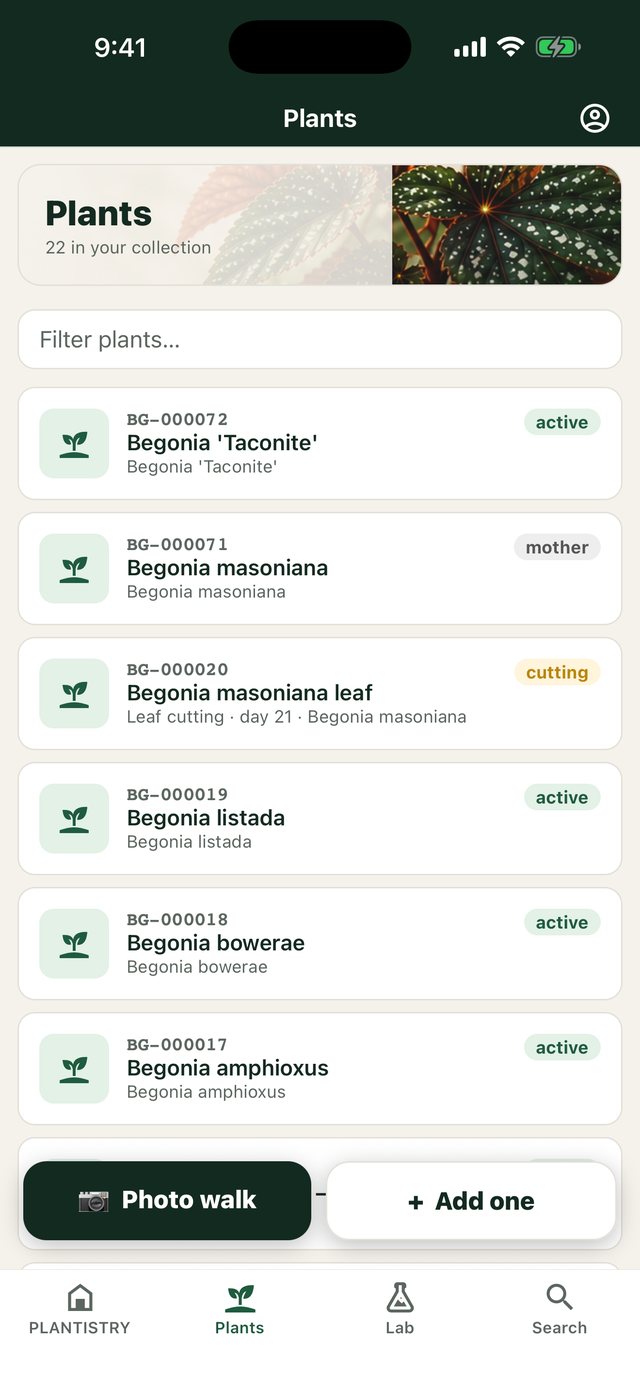
A photo walk adds plants as fast as you can photograph them. Each photo becomes a plant; on Pro, each one is named from its photo while you take the next.
Free on every plan- On the phone, open Plants and choose 📷 Photo walk.
- Pick the location you're standing in.
- Take the first photo, then Next plant for each one after it.
- Type a name if you know it; otherwise the plant gets a placeholder and, on Pro, a suggested name from the photo.
Plants added this way are marked Needs details in the list, so you can come back and fill them in at a desk.
Good to know: Photos are only sent for identification with your say-so, and you can stop sending them under Account → Plant identification.
Still stuck? Tell us what you were trying to do.Contact support