Help › Plants & collection
Change many plants at once
Tick the boxes beside plants in the list and a bar of bulk actions appears above it. Whatever you choose happens to every ticked plant, and each one keeps its own history.
Free on every plan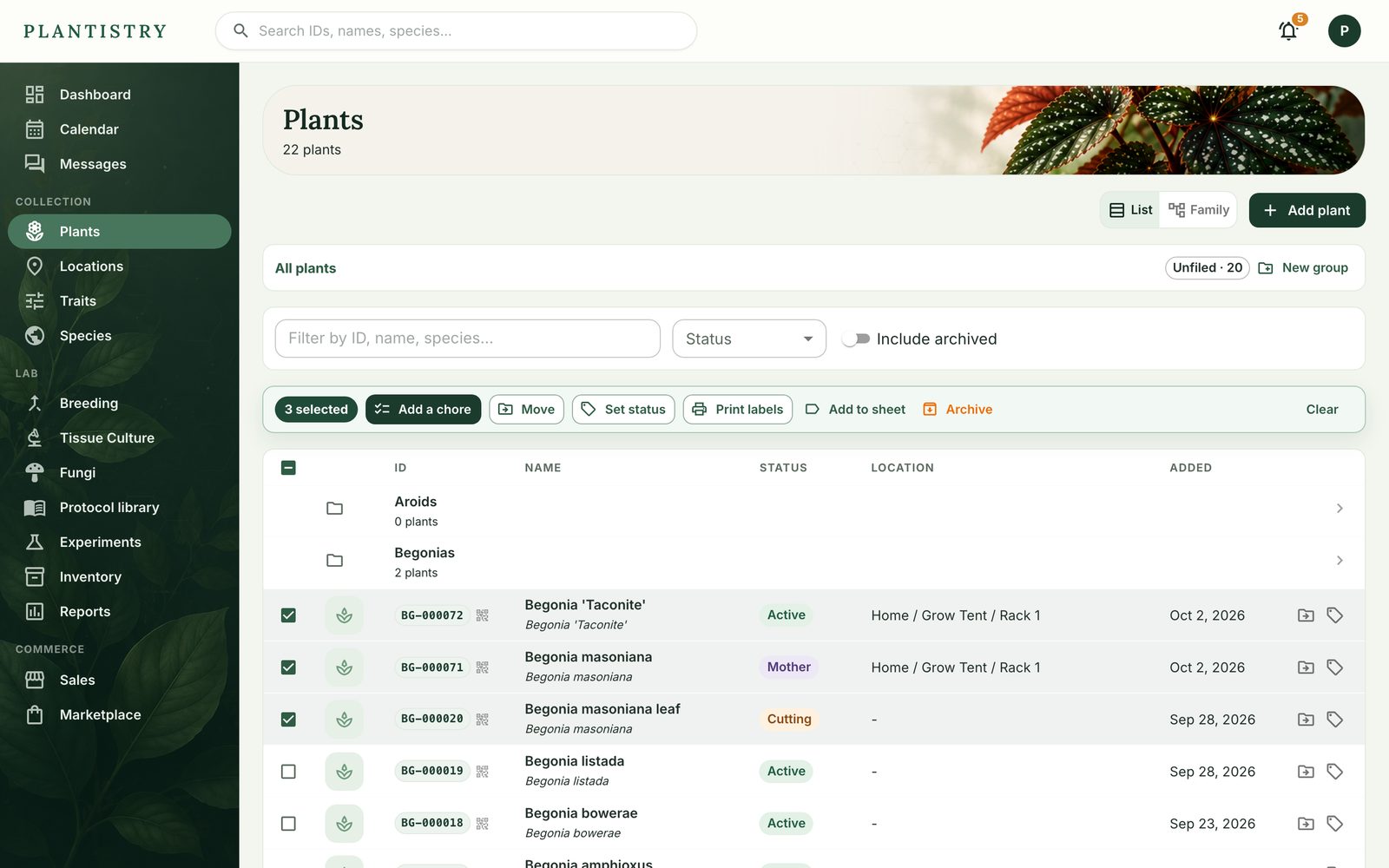
- Add a chore: one chore on every ticked plant, such as a repotting.
- Move: to a location (where they physically sit) or to a group (how they're filed).
- Set status: Mother, Seedling, Sold and the rest, all at once.
- Print labels opens their label sheet; Add to sheet collects them with others to print later.
- Archive asks once, then archives them all.
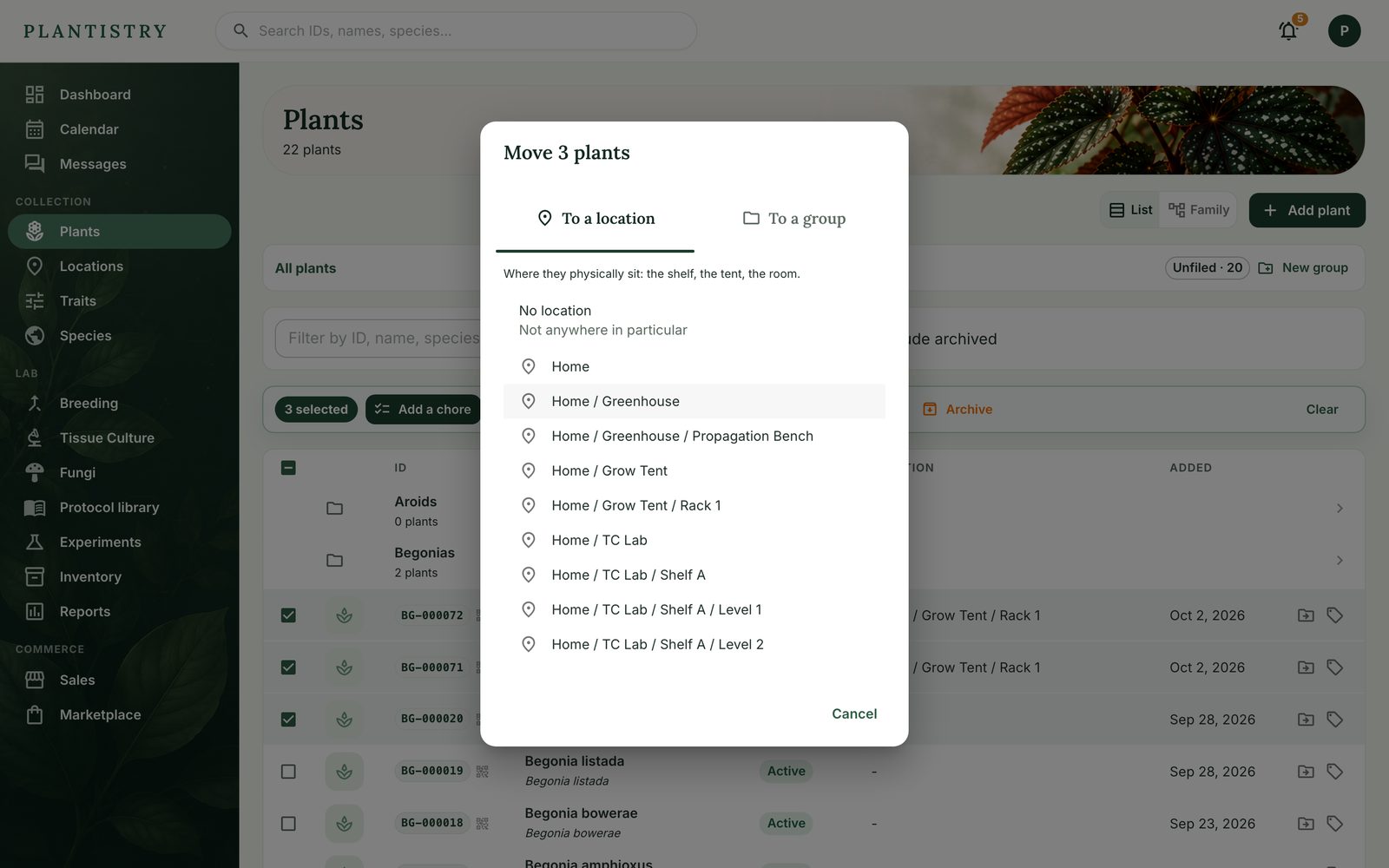
Good to know: Ticks are kept as you page through the list, so you can gather plants from several pages before acting. Plants past the free limit are left as they are.
Still stuck? Tell us what you were trying to do.Contact support